Completion notifications 🔔
Completion notifications notify chosen people the moment someone finishes a workflow.
What it does
When a workflow is completed, Canyou sends a one-off notification to whoever you choose.
Only Admins and Owners can turn completion notifications on or choose recipients.
Step 1 - Open completion notifications for a workflow
- Navigate to the Workflows menu.
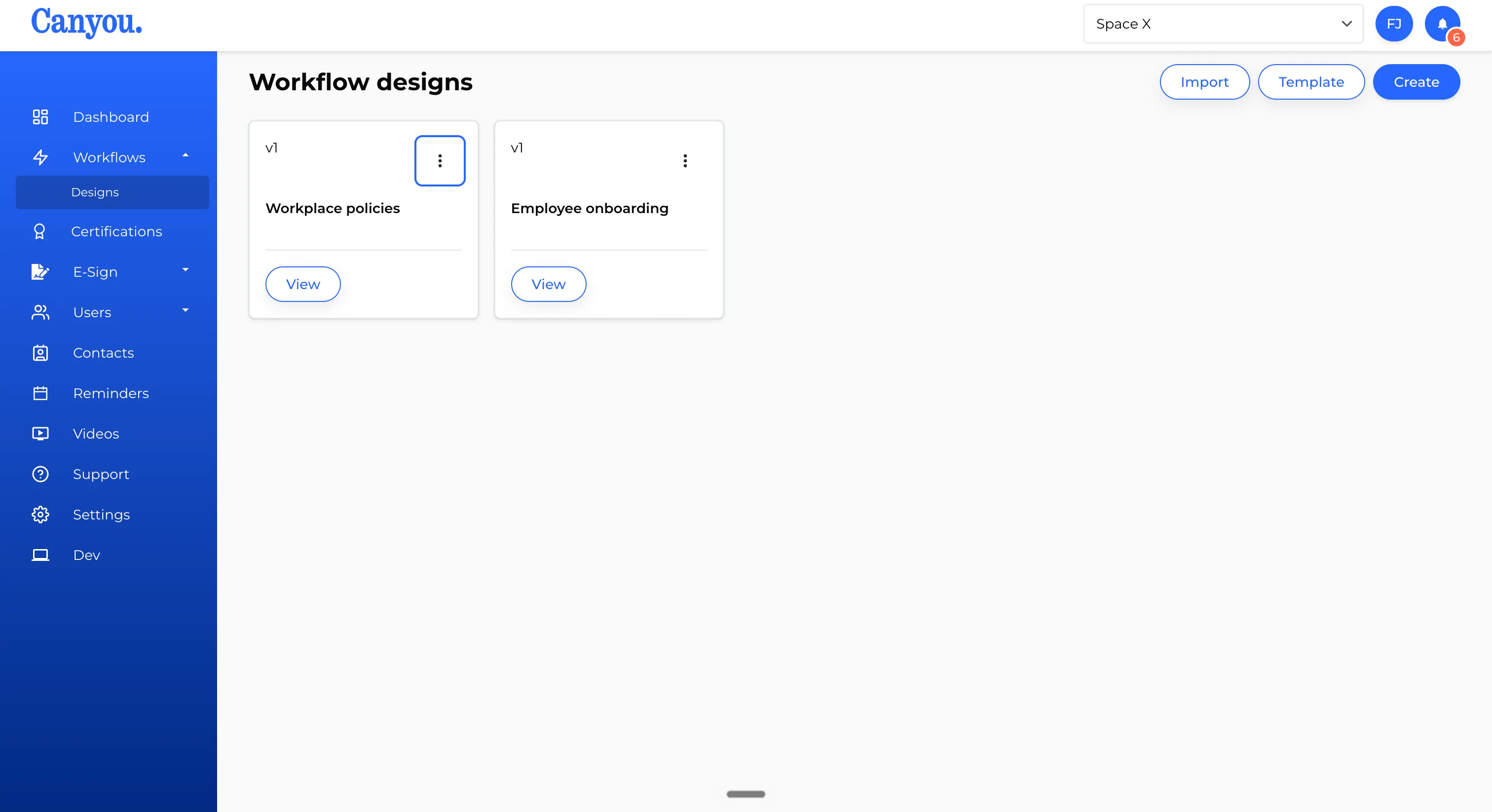
- Click the 3 dot menu on the workflow, then select Completion notifications.
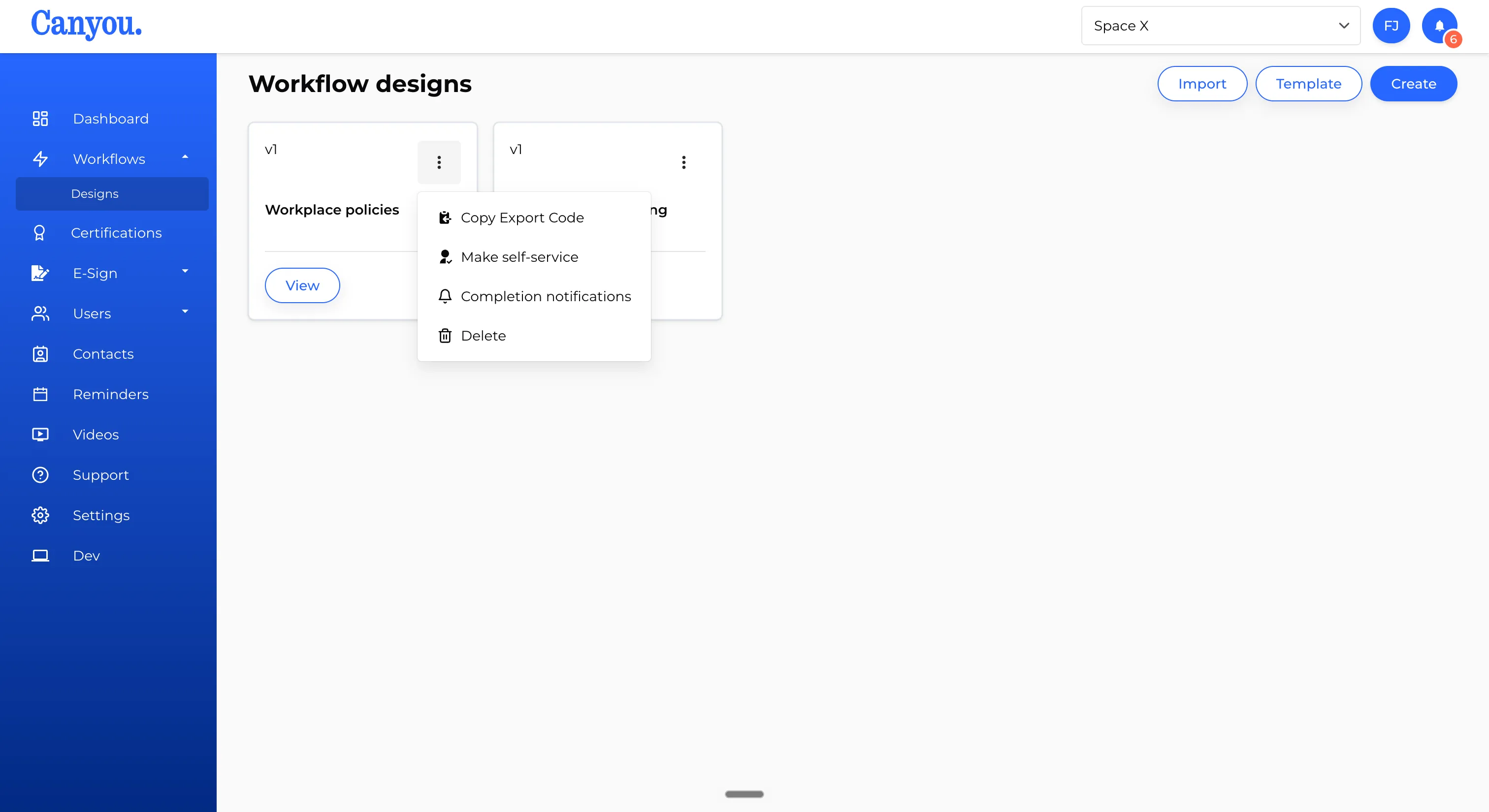
Step 2 - Turn notifications on and choose who to notify
Toggle Notifications on, then use the Notify field to add recipients. Mix and match as many as you need:
- A position - notifies everyone currently holding it.
- A specific person - notifies just that team member.
- Admins - notifies everyone with an Admin, Owner, or Supervisor role.
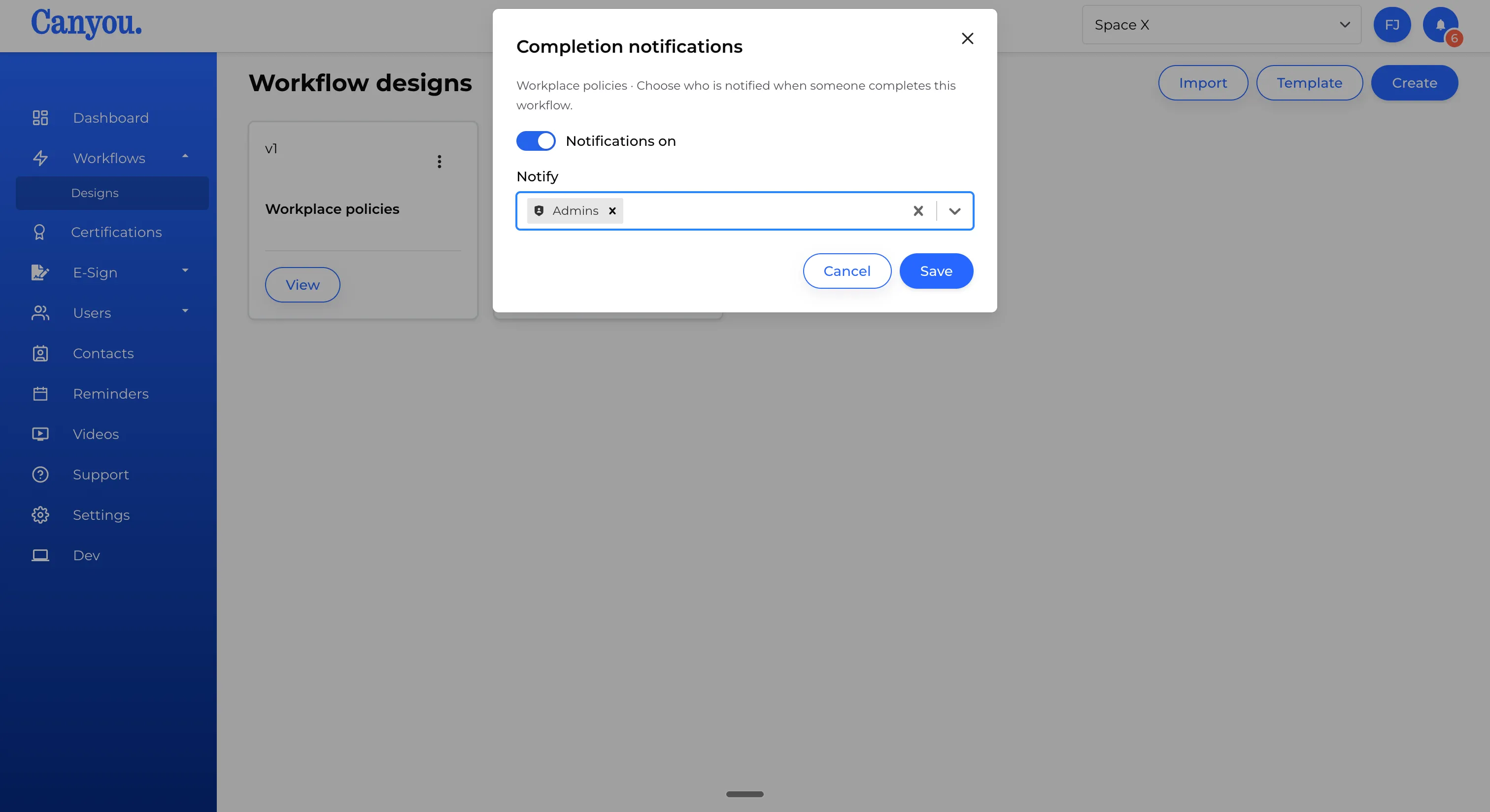
At least one recipient is required to save with notifications on. Click Save.
How the notification is delivered
When the workflow is completed, each recipient gets:
- An in-app notification immediately, naming who completed which workflow, with a link to their profile.
- A follow-up email if the in-app notification stays unseen, summarising it with any other unread updates.
Each recipient is notified once per completion. There's no repeat if they don't act on it.