JobAdder Integration Basics
Canyou connects to JobAdder so the candidates you place are checked and cleared to work in Canyou, and your recruiters can see their progress without leaving JobAdder.
What the integration does
Data comes from JobAdder into Canyou, the opposite way to a payroll integration. Once JobAdder is connected, you can:
- Import placements from Canyou. Click Import from JobAdder on the Users page to see your recent placements and add the candidates as Canyou users. Learn how to import placements.
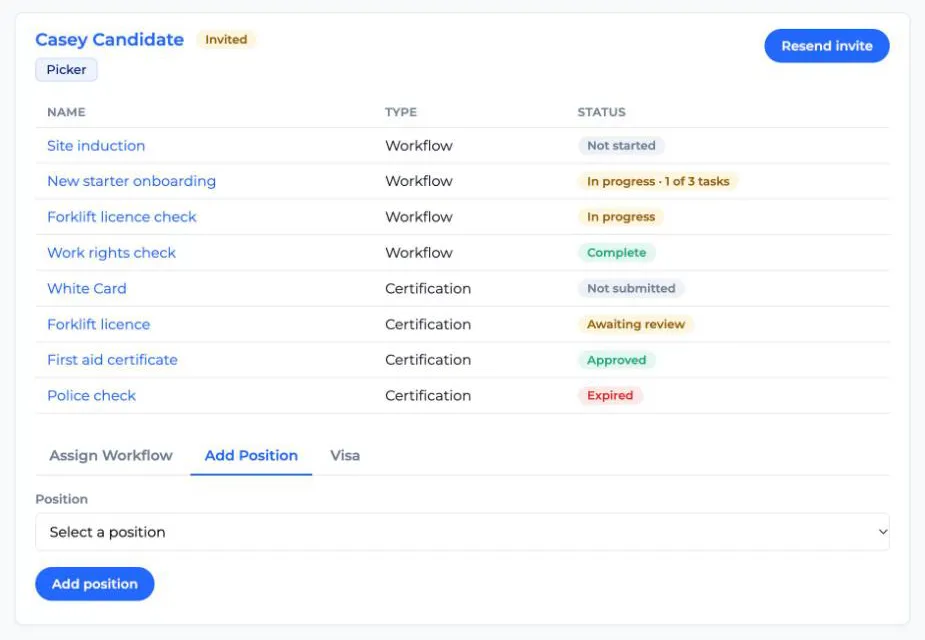
- Onboard from inside JobAdder. An Onboard in Canyou button appears on placement and candidate records in JobAdder. It opens a Canyou panel in JobAdder's side drawer, where recruiters can onboard the candidate, link them to an existing Canyou user and manage their onboarding. Learn how to onboard from JobAdder.
- See progress in JobAdder. While the candidate works through their workflows and certifications, Canyou updates the status shown on the Onboard in Canyou button, for example "Workflows 2/3 · Certifications 1/4", then "Onboarding complete".
What you'll need
- Admin access to your business in Canyou, with the Manage integrations permission.
- A JobAdder login that can approve access for your JobAdder account.
A few things to know
- Each JobAdder account can only be connected to one Canyou business at a time. Connecting it to a second business disconnects the first.
- Canyou only sends onboarding progress to JobAdder. It doesn't change your candidates or placements in JobAdder.
- Candidates need a valid email address in JobAdder to be imported or onboarded.
- Canyou saves each user's JobAdder candidate ID and placement ID on their profile, along with when they were imported. Learn more about custom fields.
Ready to connect? Follow our guide to connecting to JobAdder.