E-Sign Basics
Canyou lets you collect legally binding electronic signatures on PDF documents, such as employment contracts, policies, contractor agreements and client forms. Signers fill in and sign the document inside Canyou, and you get back a completed PDF with a full audit trail attached.
Two ways to collect a signature
Canyou has two kinds of e-sign task. Pick the one that fits the document.
E-Sign template - for contracts and forms with fields to fill in.
- Place signature, text, dropdown, checkbox, date signed and prefilled profile fields exactly where you want them on the PDF.
- Have one or more signers, signing in a set order or in any order.
- Get back a new PDF with every answer and signature stamped on it, plus a certificate of completion.
- Set up under E-Sign > Templates, then send through a workflow or as a one-off document.
E-Sign document - for policies and documents that only need accepting.
- No fields. The signer reads the document, confirms their name and clicks Sign.
- Only the user the workflow is assigned to signs.
- Set up directly inside a workflow design.
Most businesses use E-Sign templates. The rest of this section focuses on them. The simpler E-Sign document task is covered in Task types.
How e-sign templates work
- Create a template. Upload a PDF, add one or more signers and decide who each signer is. See Creating an e-sign template.
- Add fields. Use the field designer to place signature boxes, text boxes, dropdowns, checkboxes and more for each signer. See Adding fields to a template.
- Send it. Add the template to a workflow and assign the workflow, or send a one-off document straight away. See Adding an e-sign template to a workflow and Sending a one-off document for signature.
- Signers sign. Each signer fills in their own fields and adds their signature. See Signing a document.
- Track and download. Follow progress, send reminders and download the signed PDF. See Tracking e-sign documents.
Key terms
Template - a PDF plus the signers and fields you've set up on it. Templates are reusable. Every time you send one, Canyou creates a new document from it.
Signer - a stage in the signing process, such as "Employee" or "Employer". Each signer has its own colour, its own fields, its own instructions and its own list of people who can sign.
Assigned to - who can sign for a signer. This can be the Subject (the user the workflow is assigned to), Admins, a position, or specific members. If more than one person is eligible, the first one to sign completes that signer's part.
Ordered signing - when it's on, signers sign one at a time in the order you set. When it's off, everyone can sign at once. See Ordered signing.
Field validation - rules that stop a signer finishing until their answers are valid, such as a required field, an email format or "select exactly 1" checkbox. See Field validation.
Where to find e-sign in Canyou
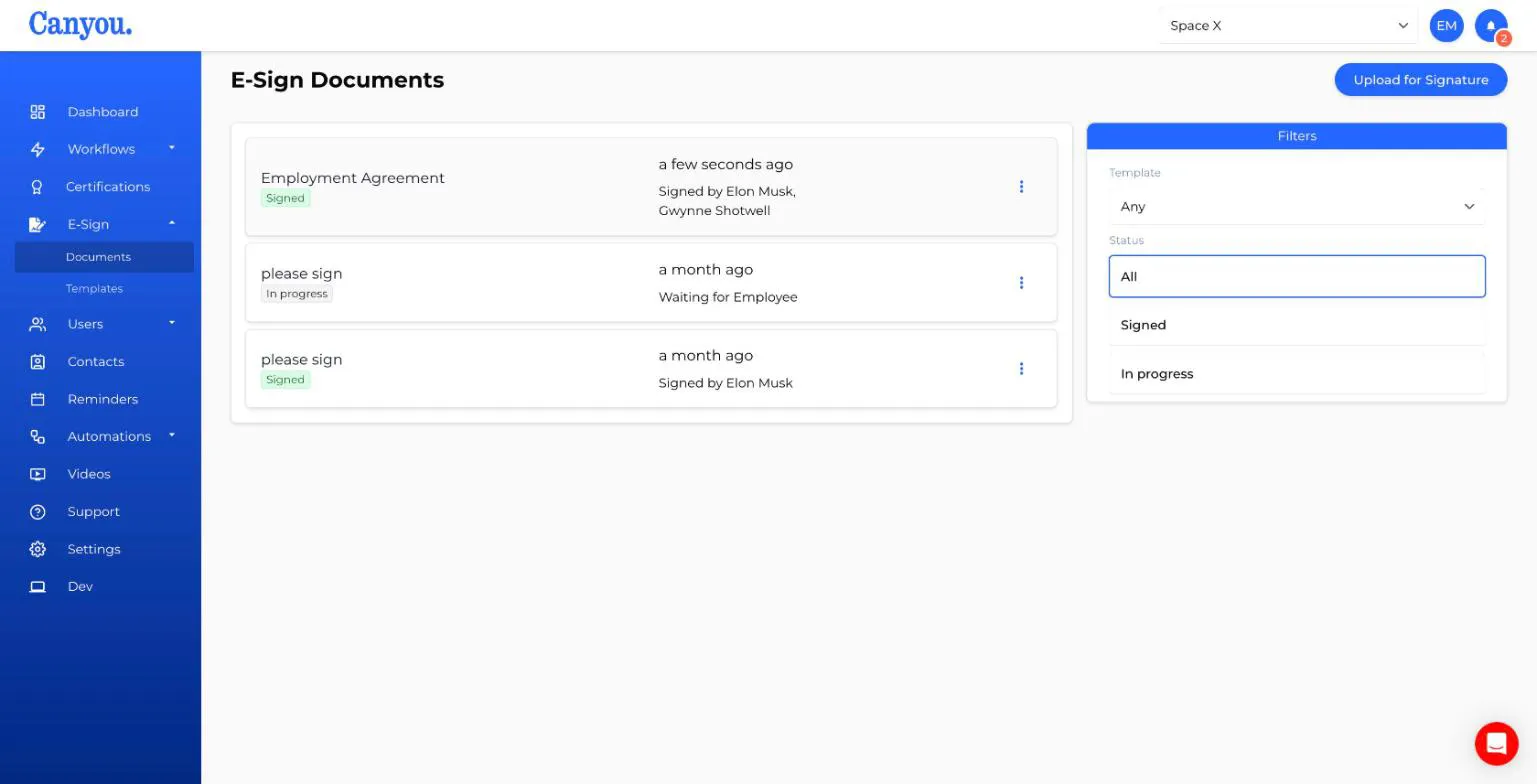
The E-Sign menu has two pages:
- Documents - every e-sign template document sent from your business, signed or in progress.
- Templates - your reusable templates.
Before you start
- E-sign templates and one-off documents need an active subscription that includes e-sign. Each document you send counts towards your plan's e-sign usage, no matter how many signers it has. See pricing for what's included.
- Templates must be PDFs. If a PDF is password protected, you'll be asked for its password when you upload it.
- Not every document can be validly signed electronically under Australian law. Read more about electronic signatures.