Leave a Business
If you no longer work with a business, you can remove yourself from it. You might do this when you've finished a job, changed employers, or (for bookkeepers and accountants) stopped working with a client.
Members, supervisors and admins can leave a business. Owners can't: see If you're an owner below.
How to leave a business
- Open the business switcher in the navigation bar.
- Find the business and click the ⋮ menu on its row.
- Click Leave business.
- Read the message and confirm.
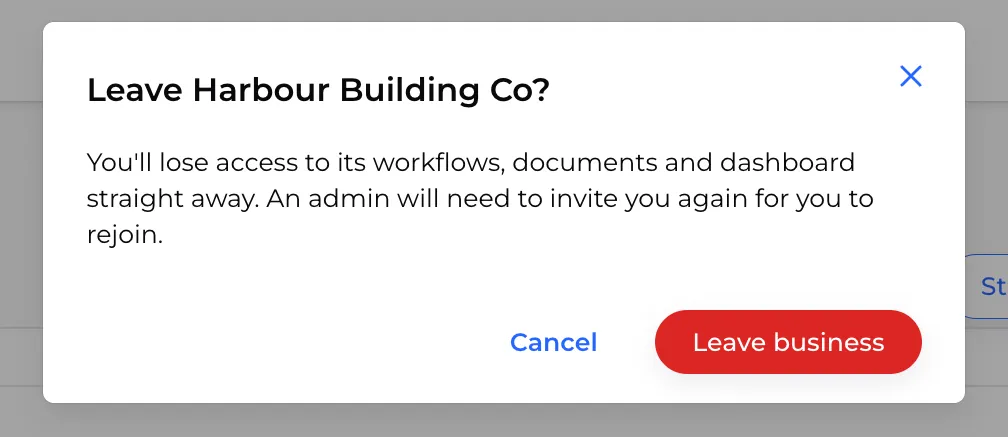
Admins can also leave from Settings > Profile in that business: scroll down to Danger zone and click Leave business.
What happens when you leave
- Admins and supervisors lose access to the business's Admin portal straight away.
- Members stop receiving tasks from the business.
- The business disappears from your switcher. If you were viewing it, you're taken to All businesses.
Your profile isn't deleted. The business keeps your details, completed workflows and documents in its records.
Rejoining later
To come back, you need a new invitation from the business. When you accept it, you're linked back to your existing profile, so your history is still there.
If you're an owner
Owners can't leave a business, because every business needs an owner. To step away:
- Make another person an owner (see Change a user's role).
- Ask them to change your role to admin or lower.
- Leave the business as above.
If the business has stopped trading and nobody needs to run it any more, you can archive the business instead.