Archive a Business
Archiving a business makes it read-only. Everything stays in Canyou, so you can still look up and export its records, but nothing new happens: no workflows start, no reminders or notifications go out, and nothing syncs with your integrations.
Archive a business when it has stopped trading, been sold, or (for bookkeepers and accountants) the client has moved on, but you still need its onboarding records. If you're sure you'll never need the records again, you can delete the business instead.
Only an owner can archive or restore a business. Admins can see the option, but it's turned off and shows the owner's email address.
Before you archive
Archiving doesn't cancel your subscription. If you no longer need it, cancel the subscription separately.
How to archive a business
- Open the business's Admin portal.
- Go to Settings > Profile and scroll down to Danger zone.
- Click Archive business.
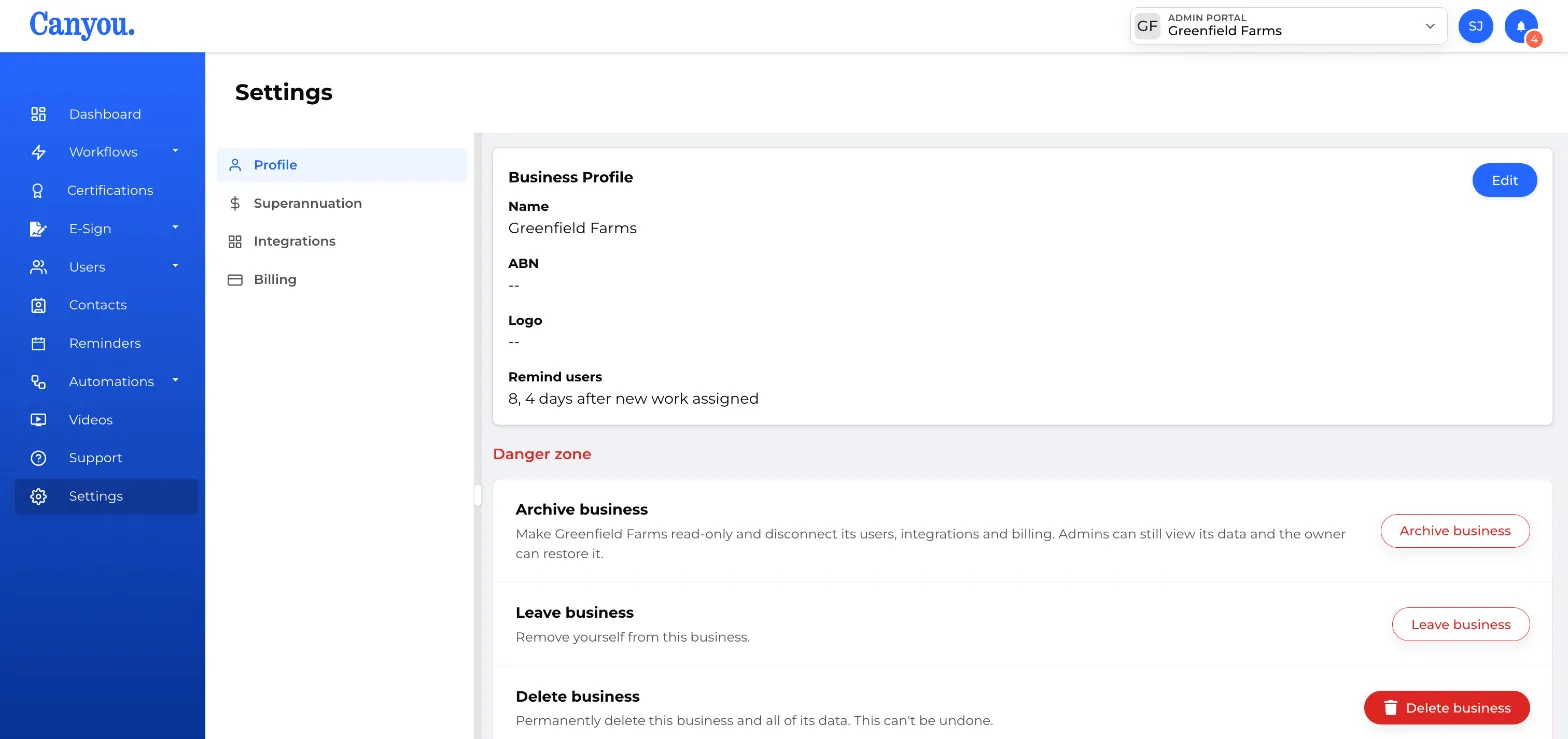
- Type the business name exactly as it appears, to confirm.
- Click Archive business.
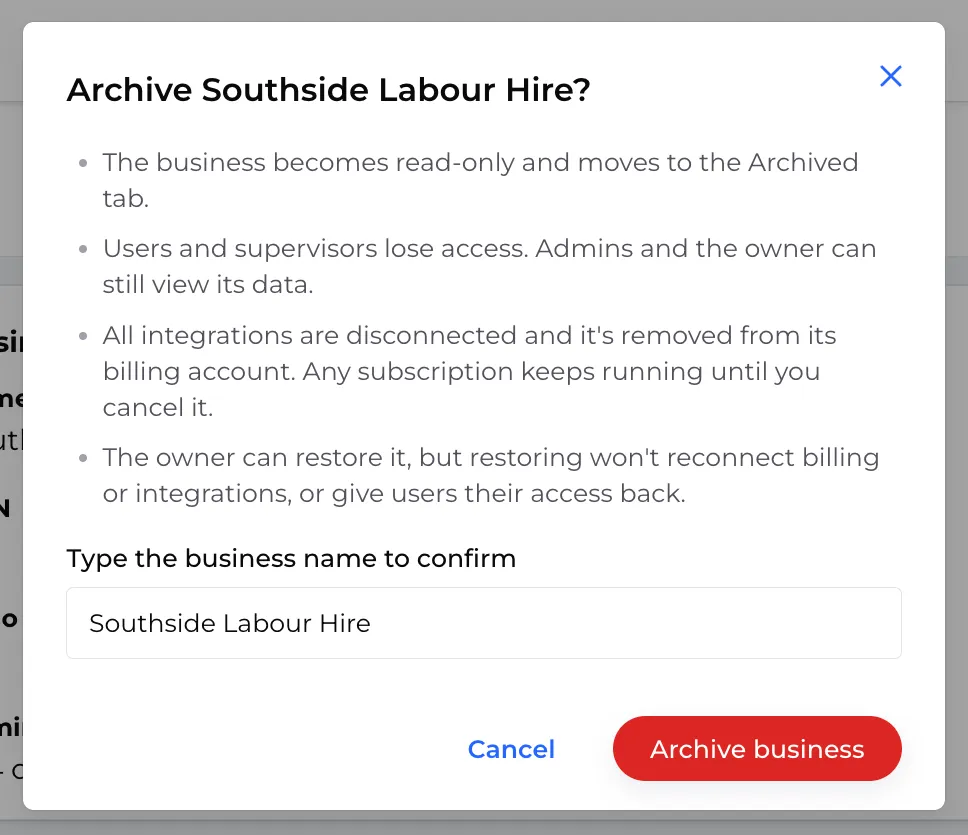
A banner at the top of the business shows the date it was archived and that it's read-only.
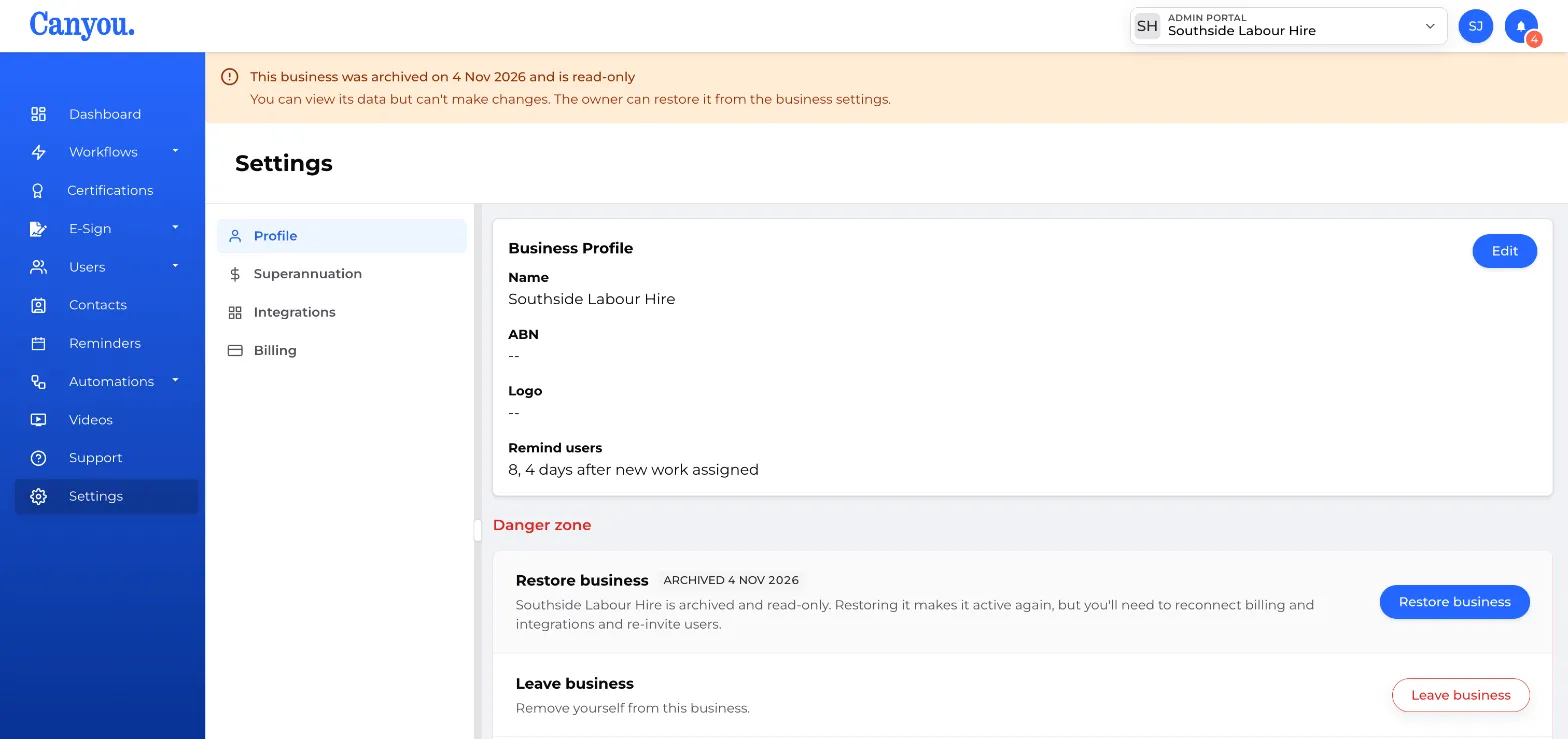
What happens when you archive
Owners and admins keep access. They can view and export everything, but can't change anything.
Members and supervisors lose access to the business. Any pending invitations are cancelled, and open access requests are declined.
Everything automatic stops, including:
- workflows, reminders and notification emails
- certification expiry and visa check notifications
- document rules, which are turned off
Integrations are disconnected, including Xero, MYOB and Deputy. No employee data syncs in either direction.
The business is unlinked from its subscription. The subscription itself keeps running until you cancel it.
People can still log in to Canyou as normal, so they can reach any other businesses they belong to.
Restore an archived business
If you need to use the business again, an owner can restore it:
- Open the business from the Archived tab in the business switcher.
- Go to Settings > Profile and scroll down to Danger zone.
- Click Restore business, then Restore business again to confirm.
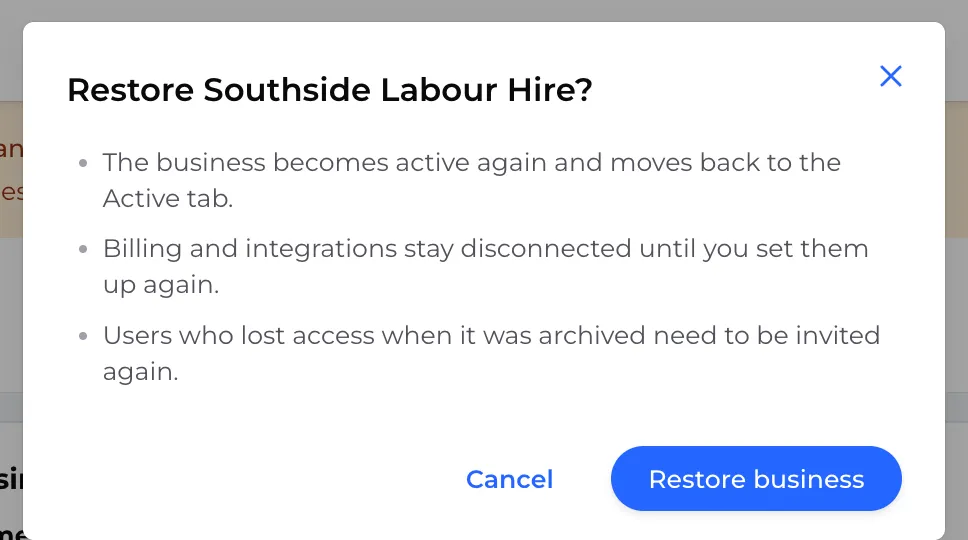
Workflows, reminders and notifications start again once it's restored.
Restoring isn't a full undo. Some things have to be set up again by hand:
- reconnect your integrations
- link the business to a subscription
- re-invite members and supervisors (they link back to their existing profiles)
- turn your document rules back on
Access requests that were declined stay declined.
Archive or delete?
| Archive | Delete | |
|---|---|---|
| Records kept | Yes, read-only | No |
| Admins can view/export | Yes | No |
| Can be reversed | Yes, an owner can restore it | No |
If in doubt, archive. You can always delete later.