Ordered Signing
Ordered signing controls when each signer can sign a document. It's a single tick box on the template, Use ordered signing, and it's on by default.
- On - signers sign one at a time, in the order you set. The next signer can't start until the one before them has finished.
- Off - every signer can sign straight away, in any order.
Each heading on this page has its own link. Hover over a heading and click the # to copy it.
Ordered signing on
With ordered signing on, each signer card shows its position in a coloured badge: 1st, 2nd, 3rd and so on.
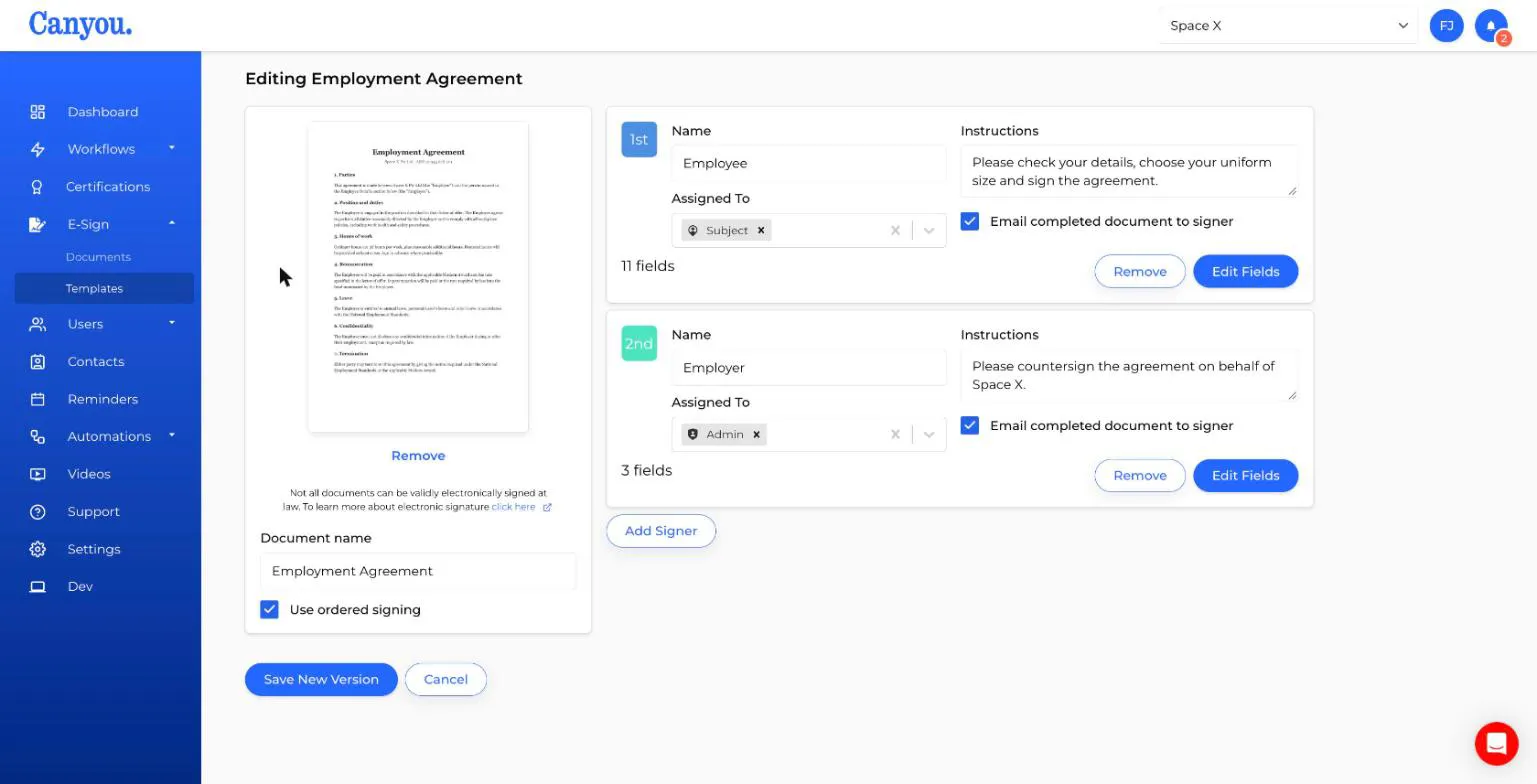
When the document is sent:
- Only the 1st signer is asked to sign. They get the task on their dashboard, and they're the only one who can open the Sign tab.
- When they finish, the 2nd signer is asked to sign, and so on down the list.
- Later signers don't get the document until it's their turn. On the History tab they show as waiting for others.
- Once the last signer finishes, Canyou generates the final signed PDF.
Each signer sees the answers and signatures of everyone who signed before them, already filled in and locked. They can't change them.
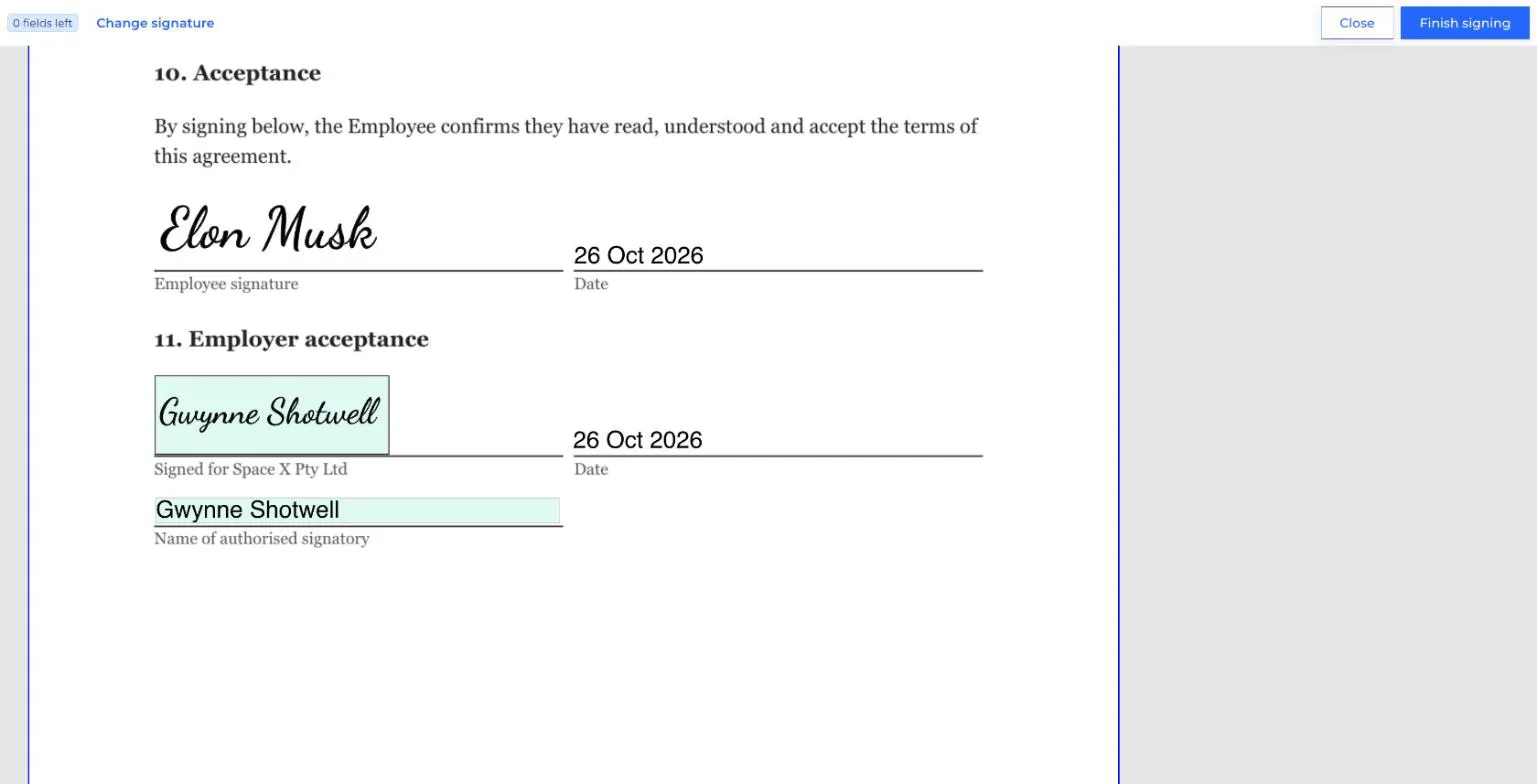
When to use ordered signing
Use ordered signing when:
- A later signer needs to see the earlier answers. For example, a manager approving a form only after the user has filled it in.
- Your process requires a particular order. For example, the new starter accepts the contract first, then the business countersigns.
- You don't want to bother a senior signer until everyone else is done.
Ordered signing off
With ordered signing off, the badges are blank and there's no order.
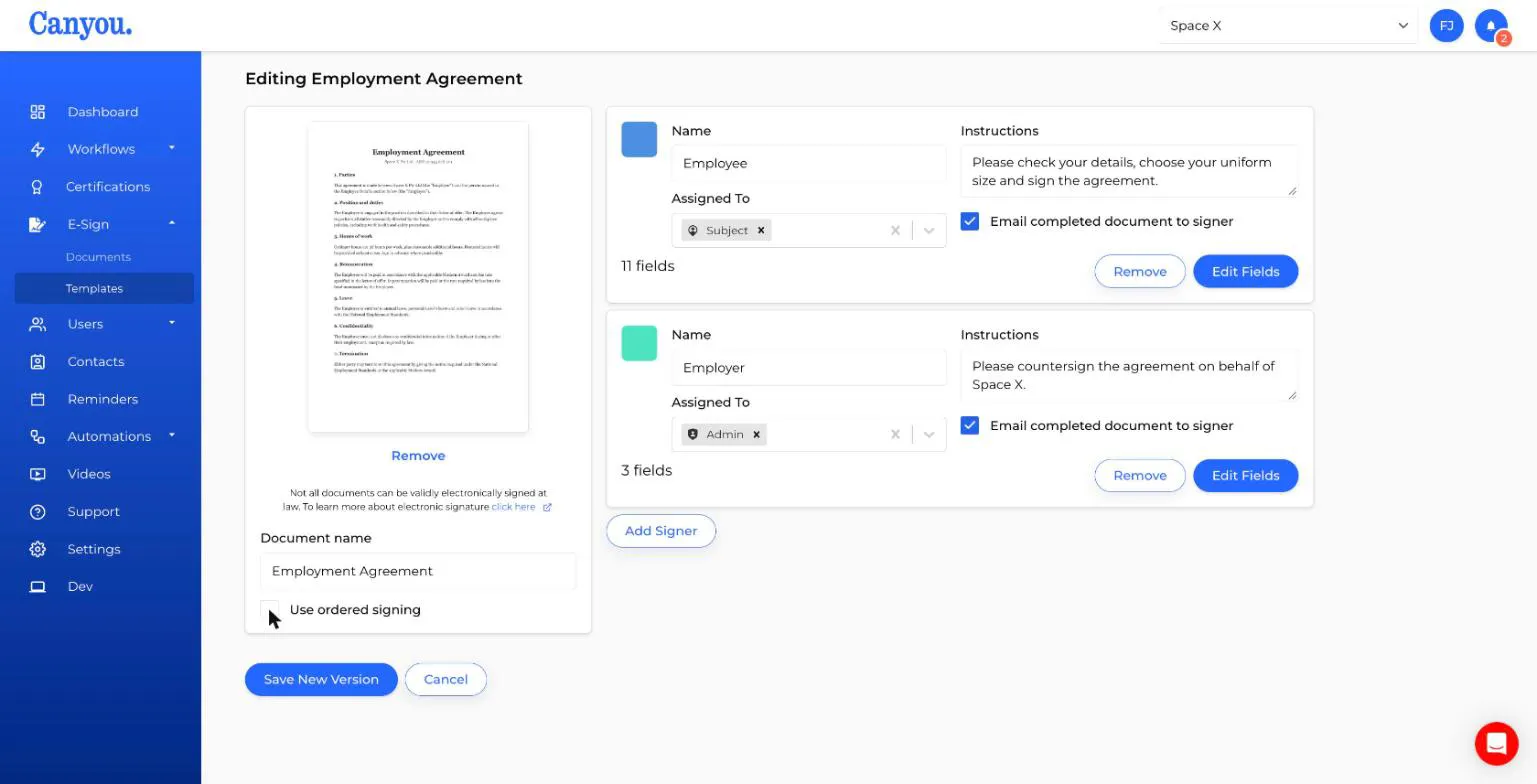
When the document is sent:
- Every signer is asked to sign at the same time.
- They can sign in any order.
- A signer sees the answers of anyone who has already signed. If they sign first, the other signers' parts are still empty.
- Once the last signer finishes, whoever it is, Canyou generates the final signed PDF.
When to use unordered signing
Use unordered signing when:
- The signers' parts don't depend on each other. For example, two directors each signing a resolution.
- Speed matters more than order. Nobody waits for anyone else.
Changing the order
With ordered signing on, drag a signer card by its coloured badge to move it up or down. The badges update to show the new order. Hover over a badge to see Drag to change signing order.
Click Save New Version to keep the change. The new order applies to documents sent from then on. Documents already sent keep the order they were sent with.
How it looks while signing
Admins can follow progress on the document's History tab.
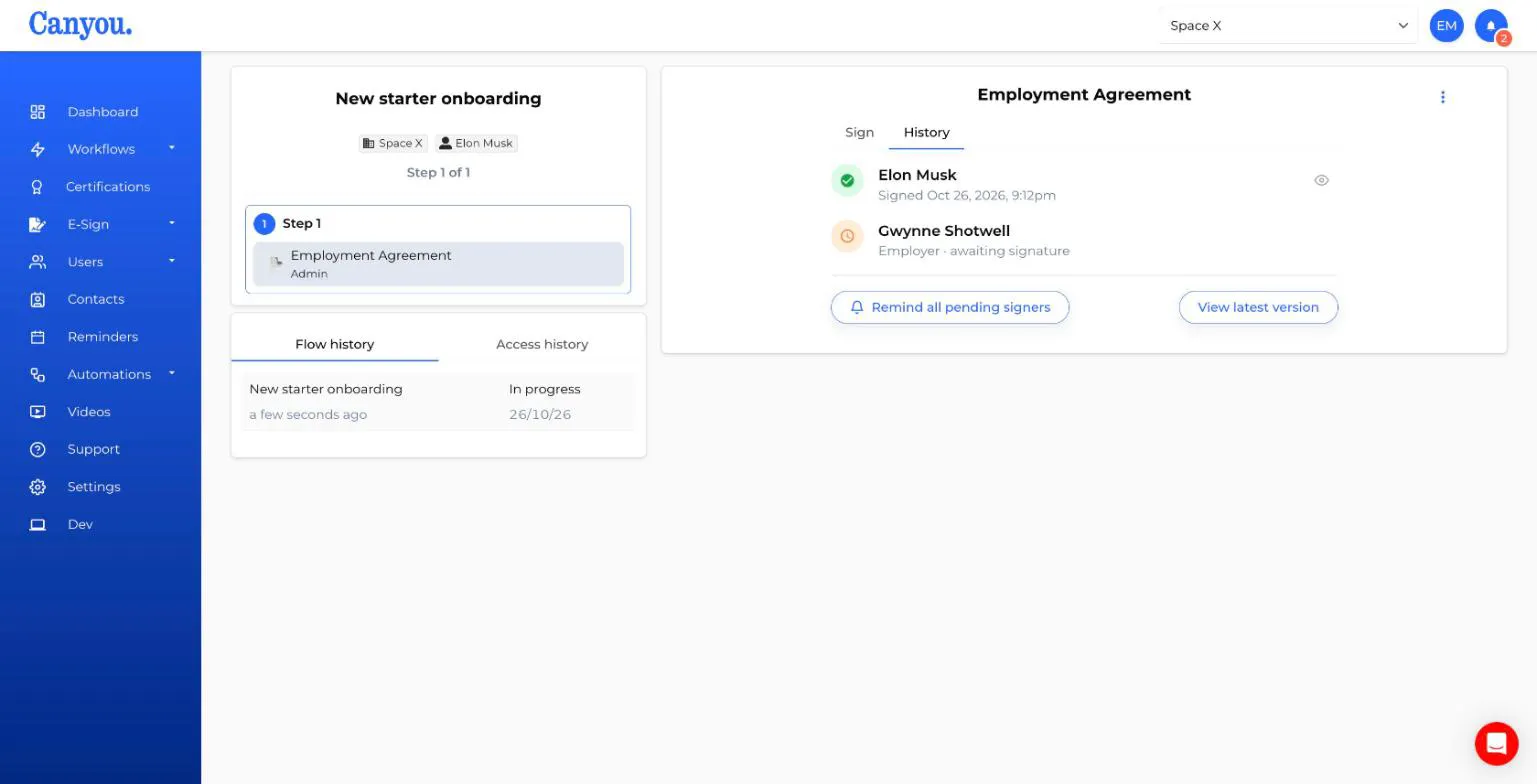
- A green tick means that signer has signed, with the date and time.
- An orange clock with awaiting signature means it's that signer's turn.
- A grey clock with waiting for others means that signer is queued behind someone else (ordered signing only).
If a single person is eligible to sign, their name is shown. Otherwise you see the signer's name, such as "Employer".
Sending reminders
- Ordered signing - a Remind button appears next to the signer whose turn it is. It notifies the people who can sign for that signer.
- Unordered signing (or when only one signer is left) - a Remind all pending signers button notifies everyone who still needs to sign. Hover over it to see who will be notified.
See Tracking e-sign documents for more on reminders.
Common questions
"A signer says they haven't received the document." With ordered signing on, it may not be their turn yet. Open the document's History tab to see who it's waiting on, and use Remind to nudge them.
"The same person is assigned to two signers." They sign each part separately. With ordered signing on, they sign their first part, then sign their next part once everyone in between has signed.
"Several people can sign for one signer. Do they all need to sign?" No. Each signer needs one signature. The first eligible person to sign completes that part, and the document moves on.
"Can I turn ordered signing on or off for a document that's already been sent?" No. The setting is part of the template version the document was sent with. Change the template and send the document again if needed.
"Does ordered signing affect workflow steps?" No. Ordered signing only controls the signers inside one document. To control when the document appears in a workflow, use workflow steps.
NextCreating an e-sign template NextTracking e-sign documents