Approving Access Requests ✅
When someone scans an entry point set to Approve before starting, they submit a request to join your business. You will be notified, and you get to choose their position and grant access before they can begin any of their requirements.
This section shows how to review and approve an incoming access request.
- Navigate to the Users menu. At the top of the Overview page you will see a banner showing who has requested access.
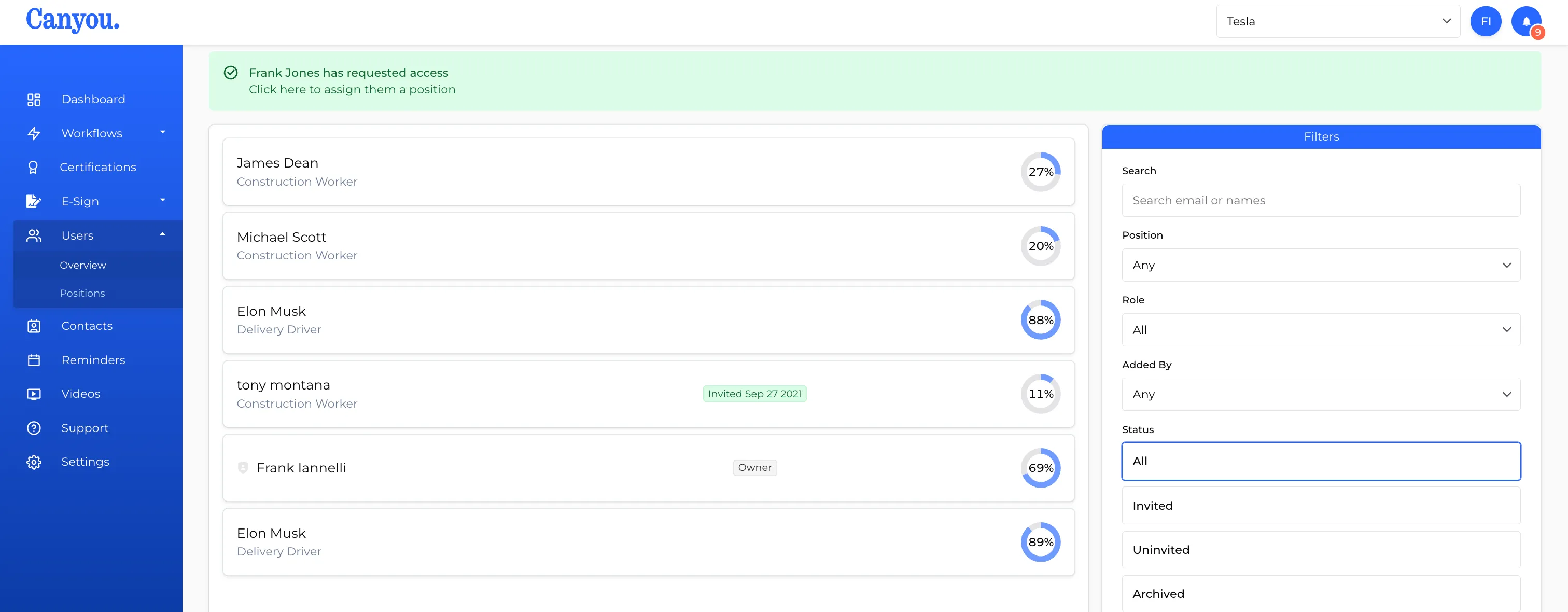
- Click the notification to open the request.
- Review the request details, then select the Position you want to assign to this person.
- Click Approve. The person will be notified and can immediately begin completing their requirements.