Extra Tax Withholding Requests
Let employees ask you to withhold extra tax from their pay, for example an extra $100 each pay, and keep a dated record of every request.
The ATO calls this an upward variation. There's no special ATO form for it. You and the employee just need a written agreement, in any format that suits your business. A Canyou form gives you that agreement, timestamped against the employee, with no paperwork to chase.
For the ATO rules behind it, including how to work out the amount and when you need ATO approval, see our guide to upward variations.
What you'll use
- Form task to collect the request
- Self-service workflows so employees can start a request themselves
- Completion notifications to tell payroll when a request comes in
- Flow history to keep the record
Step 1 - Create the workflow
Go to the Workflows menu, click Create, and name the workflow "Extra tax withholding request". Click Add task and select Form.
Full guide: Create a workflow
Step 2 - Build the request form
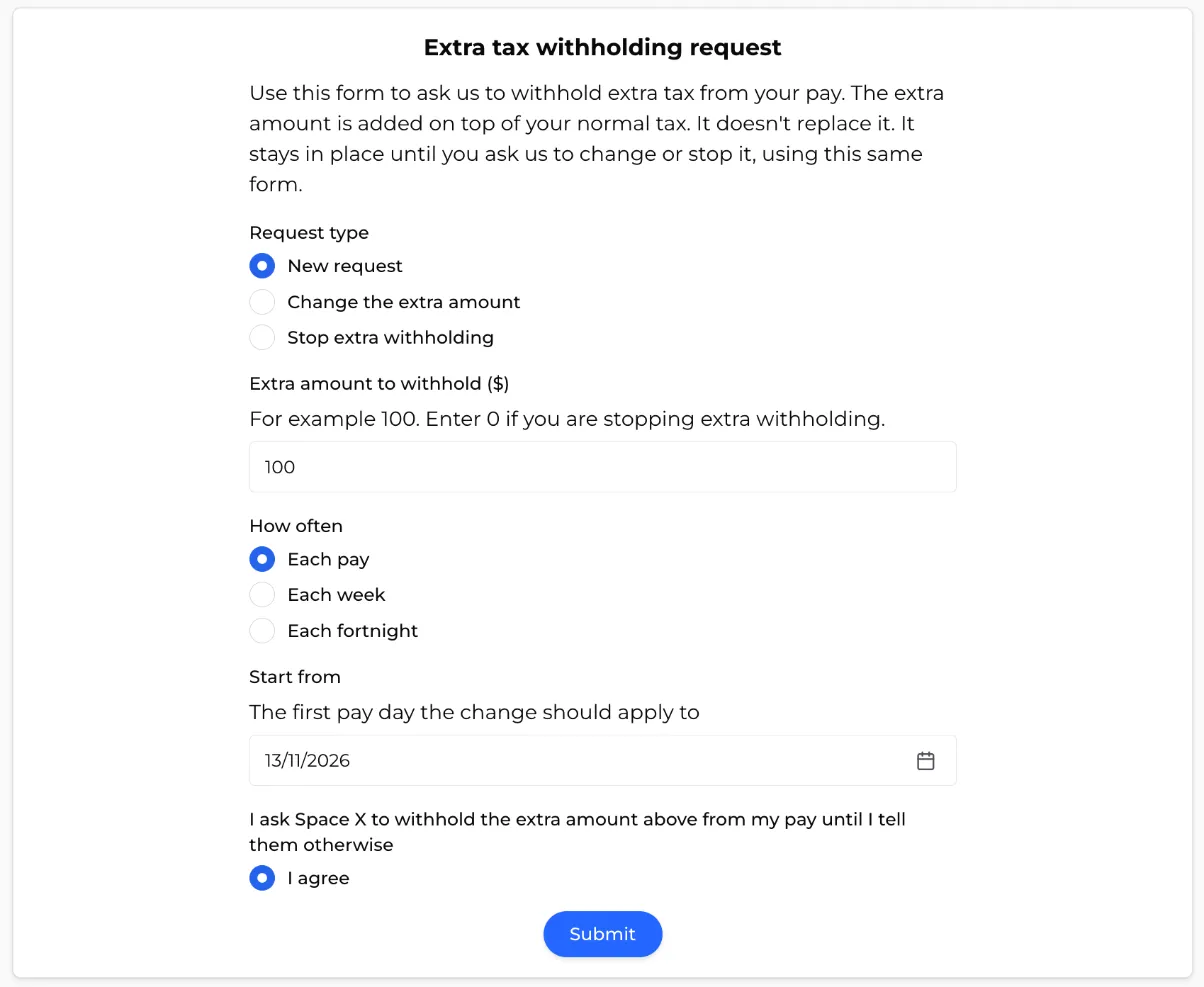
Add these sections to the form task, in this order.
1. An explanation
Click Add section and select Content block. Add a short explanation, for example:
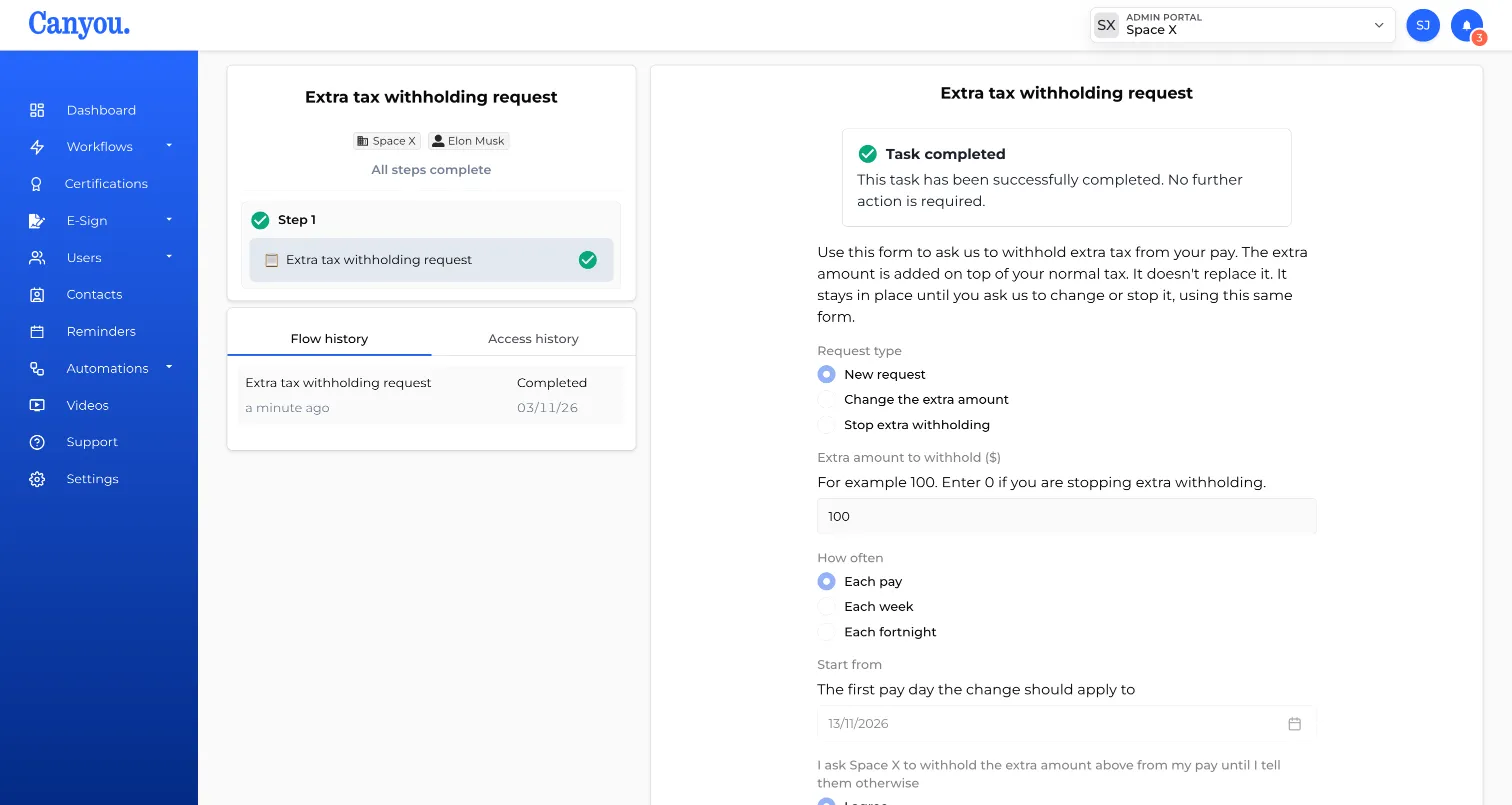
Use this form to ask us to withhold extra tax from your pay. The extra amount is added on top of your normal tax. It doesn't replace it. It stays in place until you ask us to change or stop it, using this same form.
2. The questions
- Request type (Multiple choice) - New request, Change the extra amount, Stop extra withholding
- Extra amount to withhold ($) (Number question) - e.g. 100. Ask employees to enter 0 if they're stopping.
- How often (Multiple choice) - Each pay, Each week, Each fortnight
- Start from (Date question) - the first pay day the change should apply to
3. The agreement
Add a Multiple choice question with the wording you want the employee to agree to, for example "I ask [your business name] to withhold the extra amount above from my pay until I tell them otherwise", with a single option, I agree.
Click Save.
Step 3 - Make it self-service
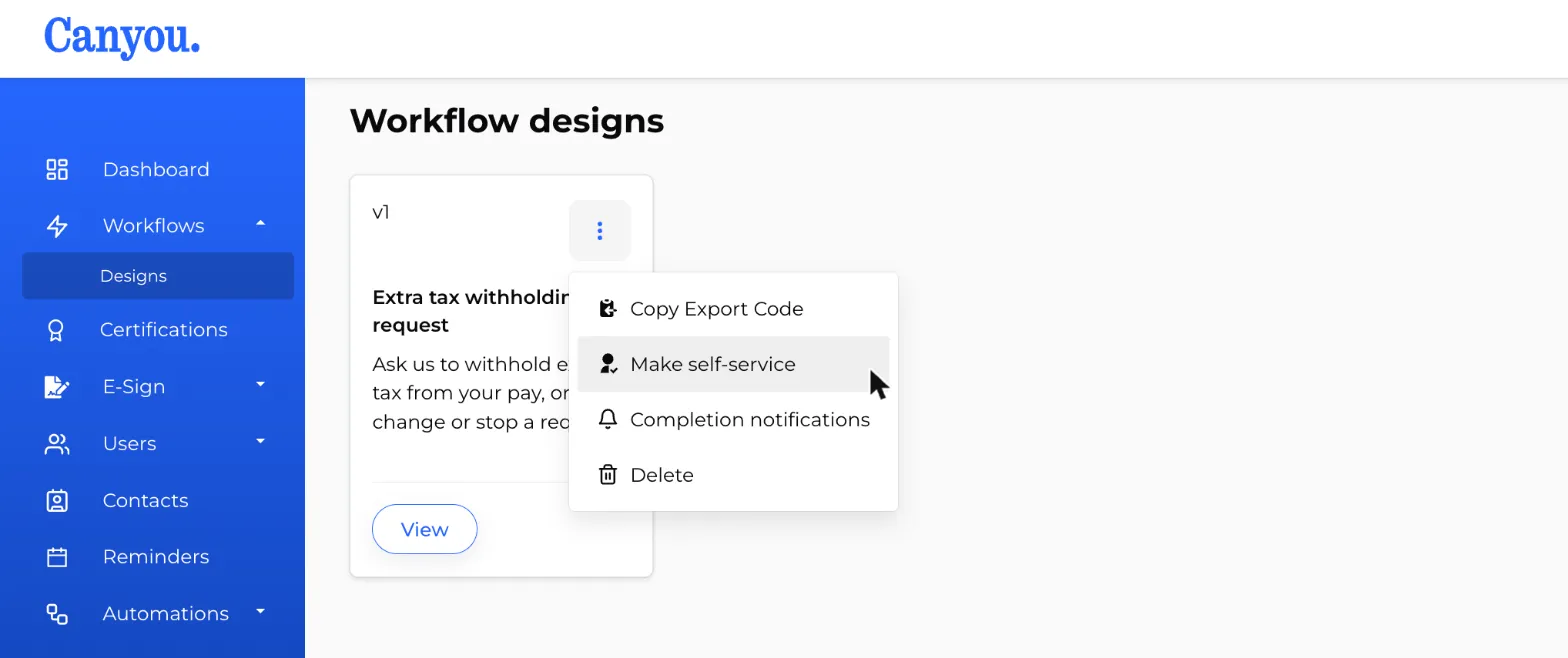
Open the workflow's 3 dot menu and click Make self-service.
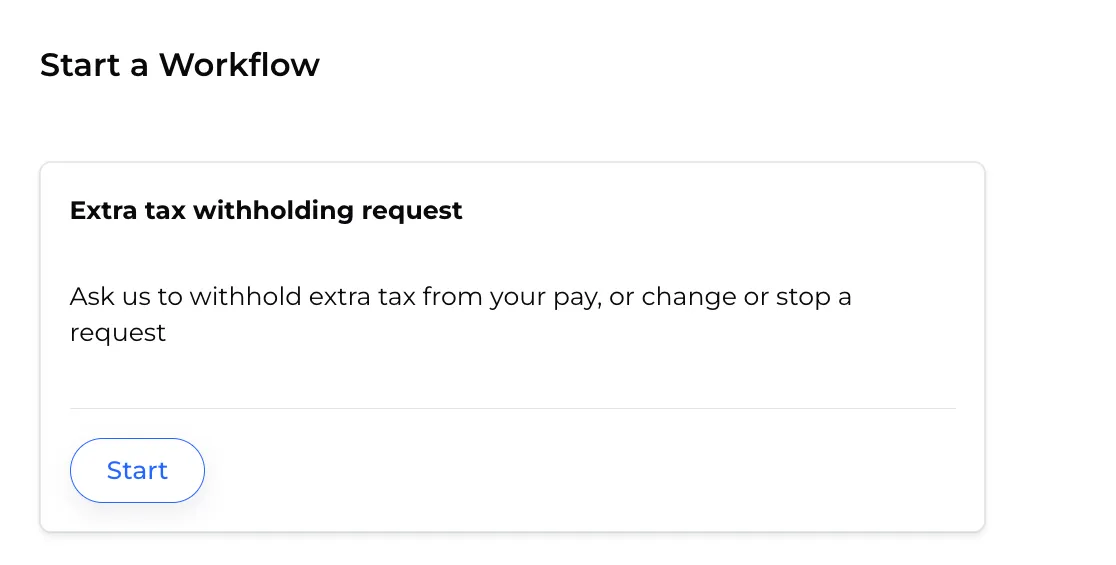
Employees can now start a request from their dashboard with Start workflow whenever they need to, so you don't have to assign it each time.
Full guides: Create a self service workflow, Start a self service workflow
Step 4 - Notify payroll
Open the workflow's 3 dot menu and select Completion notifications. Toggle Notifications on and add your payroll officer, bookkeeper or the Admins group in the Notify field.
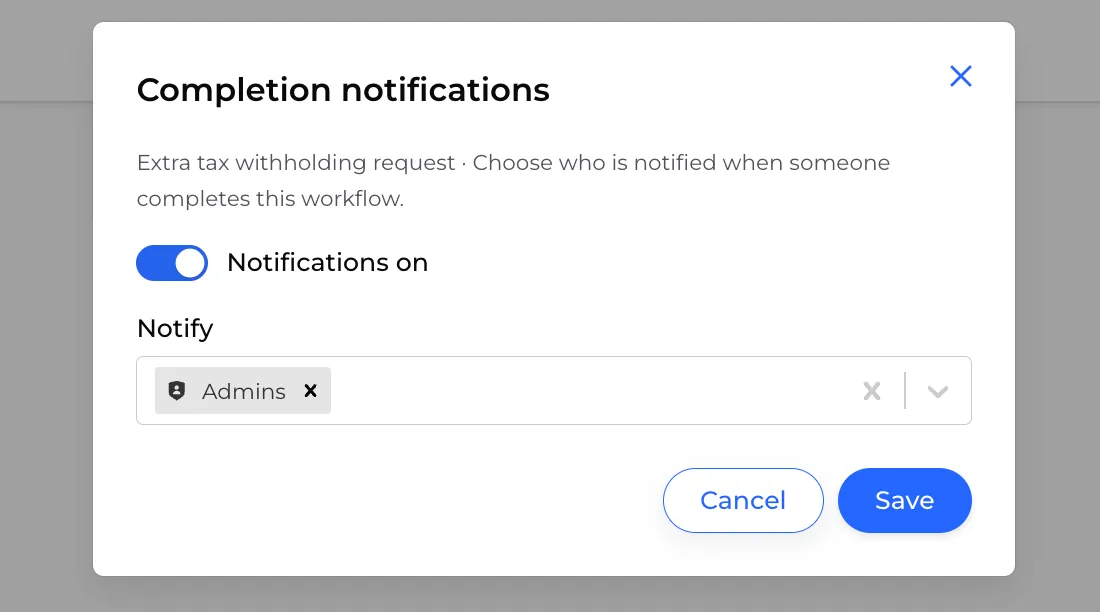
When an employee submits a request, payroll is notified straight away.
Full guide: Completion notifications
Step 5 - Set it up in payroll
When a request comes in:
- Open the employee's completed form to check the amount, how often and the start date.
- In your payroll software, enter the amount as an extra tax (additional withholding) amount on the employee's pay. It's added on top of the tax worked out from the tax tables.
- If the request is to stop, remove the extra amount from their pay.
The completed form stays in the employee's flow history with the date it was submitted. That's your written agreement, and there's nothing to lodge with the ATO.
Withholding less tax is different
This guide only covers withholding more tax. If an employee wants less tax withheld, they need to apply to the ATO using a PAYG withholding variation application. You can only reduce their withholding once you receive the ATO's variation notice.
For more detail, see the ATO's guide to withholding variations.