Switch Between Businesses
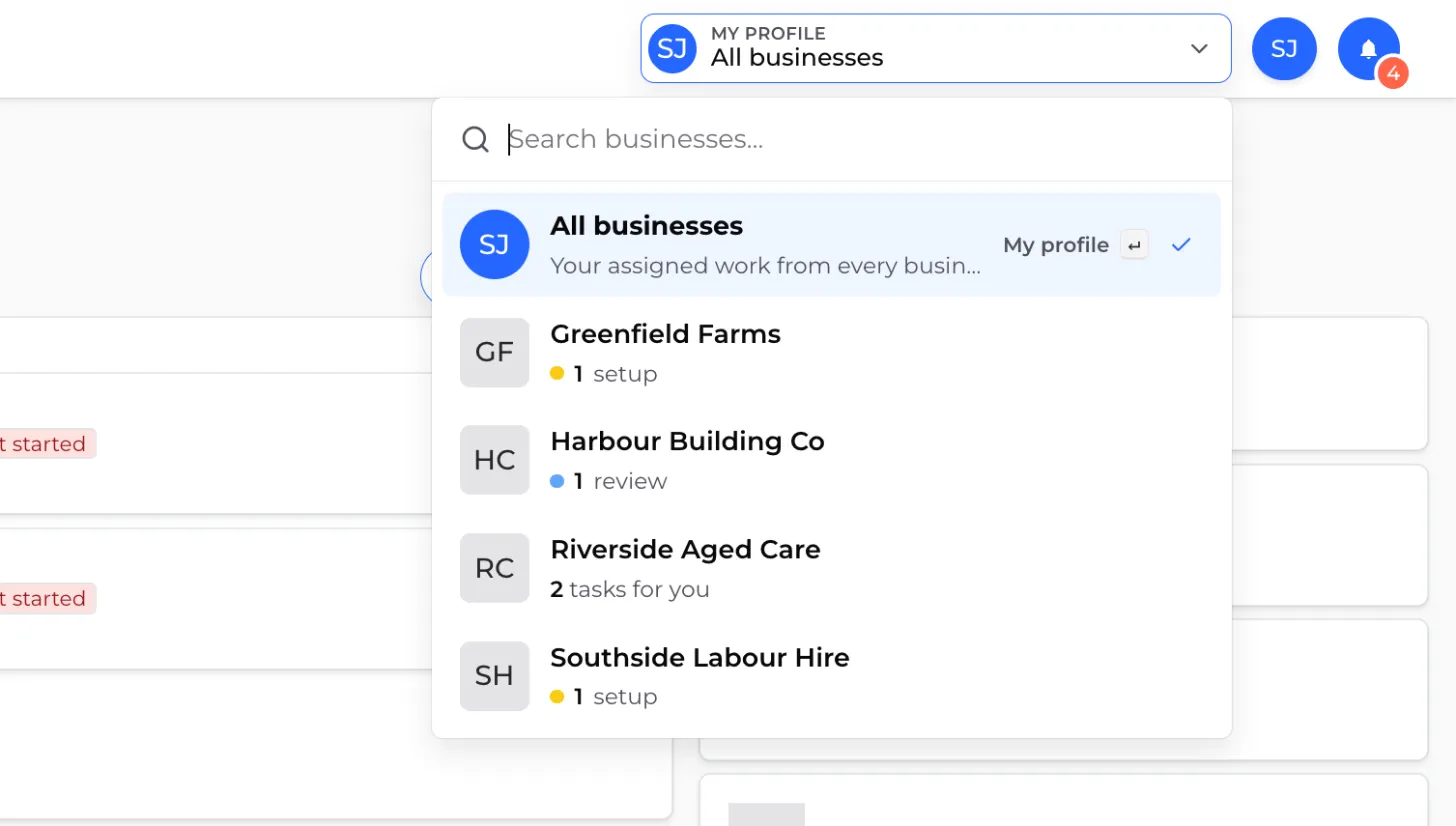
If you belong to more than one business in Canyou, the business switcher in the top navigation bar takes you between them. It lists every business you belong to, whatever your role, and shows how much work is waiting for you in each one before you open it.
Open the switcher
Click the switcher in the navigation bar. It shows where you are now: the business name, and whether you're in its Admin portal or My profile. A tick marks your current place in the list.
The switcher only appears once you belong to at least one business.
Choose where to go
Each business can open in one of two views:
- Admin portal - the business's dashboard, where you manage users, workflows and settings. This is available if you're a supervisor, admin or owner of that business.
- My profile - only the tasks the business has assigned to you, such as workflows to finish and certifications to submit.
Click a business to open its usual view: the Admin portal if you manage that business, otherwise My profile. If you manage it and want your own tasks instead, click the ⋮ menu on the row and choose My profile.
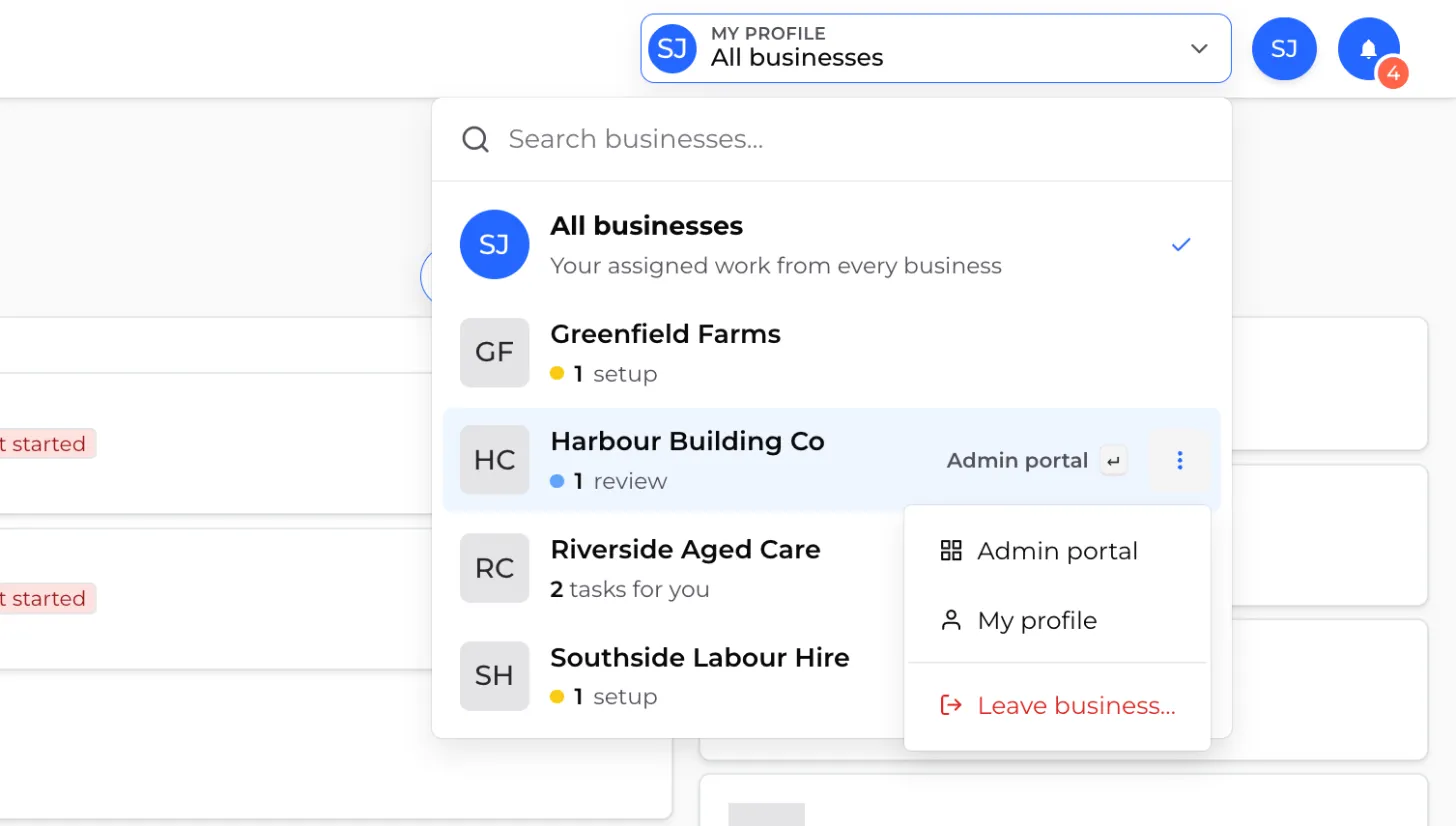
At the top of the list, All businesses shows your tasks from every business in one place.
See what's waiting before you switch
Each row shows a short summary of outstanding work:
- Admin portal rows show what needs attention, grouped by type (for example, "1 review" or "1 setup"). The two biggest groups are shown, then "+N more".
- My profile rows show how many tasks are waiting for you, such as "3 tasks for you".
- All caught up means there's nothing to do there.
This makes it easy to see which business needs you first.
Your tasks for one business
When you open My profile for a business, your dashboard shows only that business's tasks, certifications and employment details. A tag at the top reads "Showing your tasks from" and the business name. Click the ✕ on the tag to see your tasks from every business again.
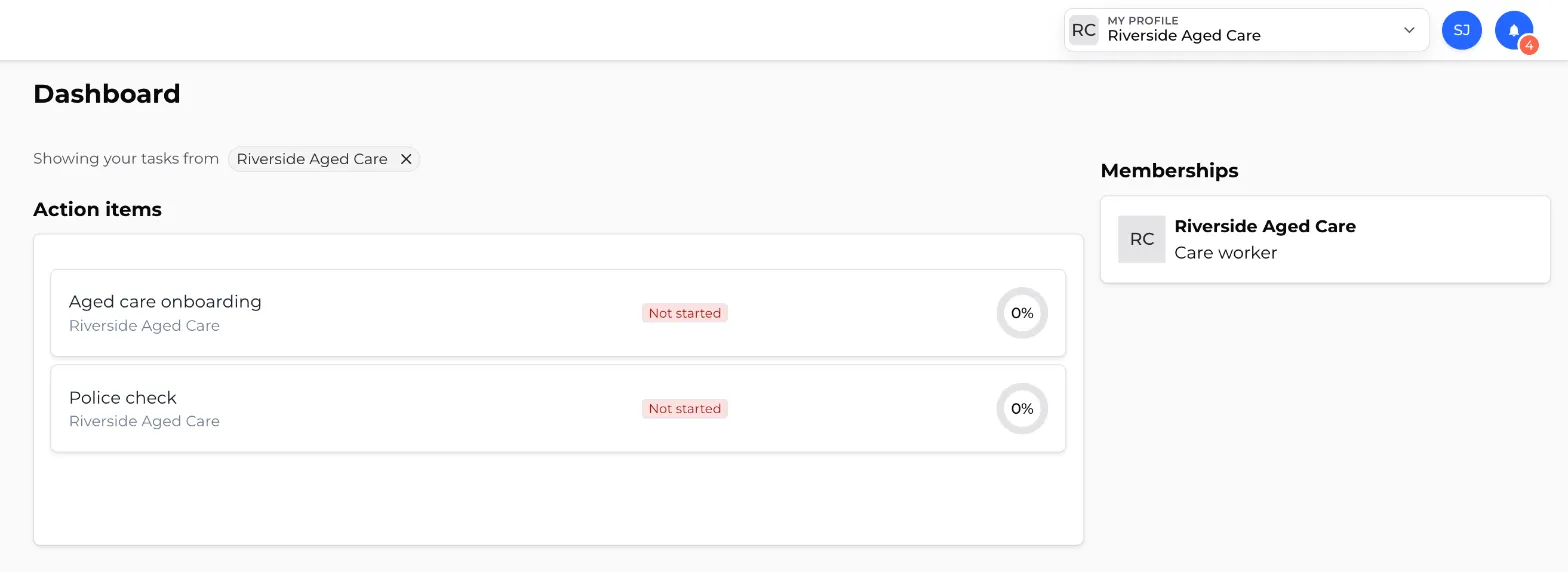
If you start a self-service workflow from this view, you'll only see that business's workflows.
Find a business
If you belong to a lot of businesses, type in the search box at the top of the switcher to filter the list by name.
Archived businesses
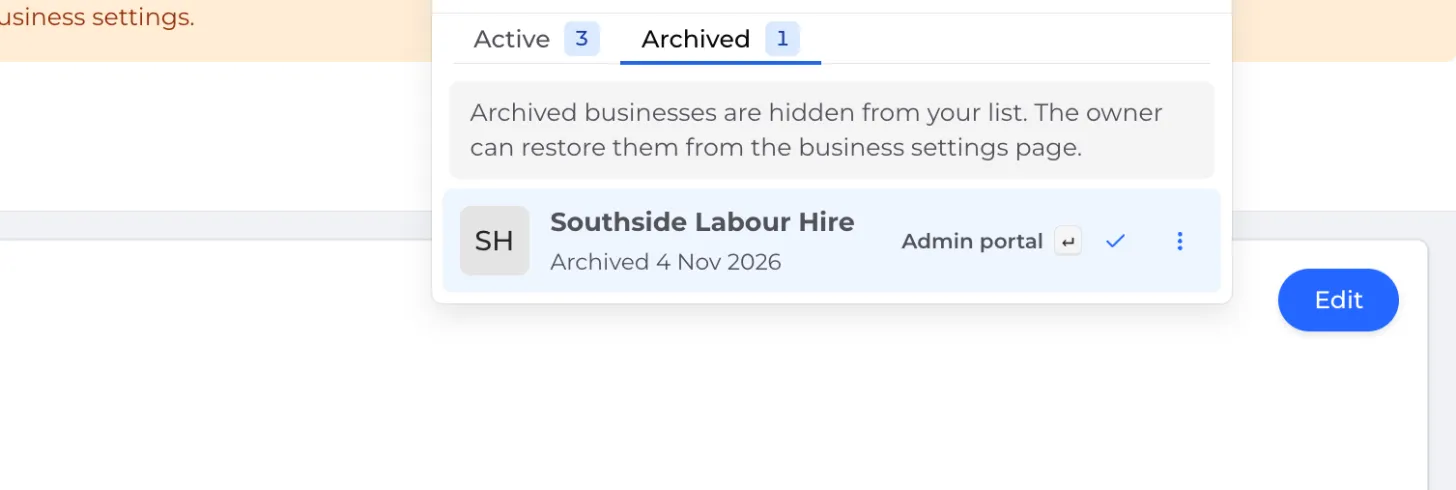
If a business you belong to has been archived, the switcher shows two tabs: Active and Archived. Archived businesses appear greyed out, with the date they were archived. If your search matches a business on the other tab, a button takes you straight to it.
Keyboard shortcuts
With the switcher open, you can:
- use the ↑ and ↓ arrow keys to move through the list (Home and End jump to the top and bottom)
- press Enter to open the highlighted business
- press Esc to clear the search, then press it again to close the switcher