Log inTry for freeBook a demo

Disconnecting from Xero 🔗

Follow this guide to disconnect Canyou from Xero.


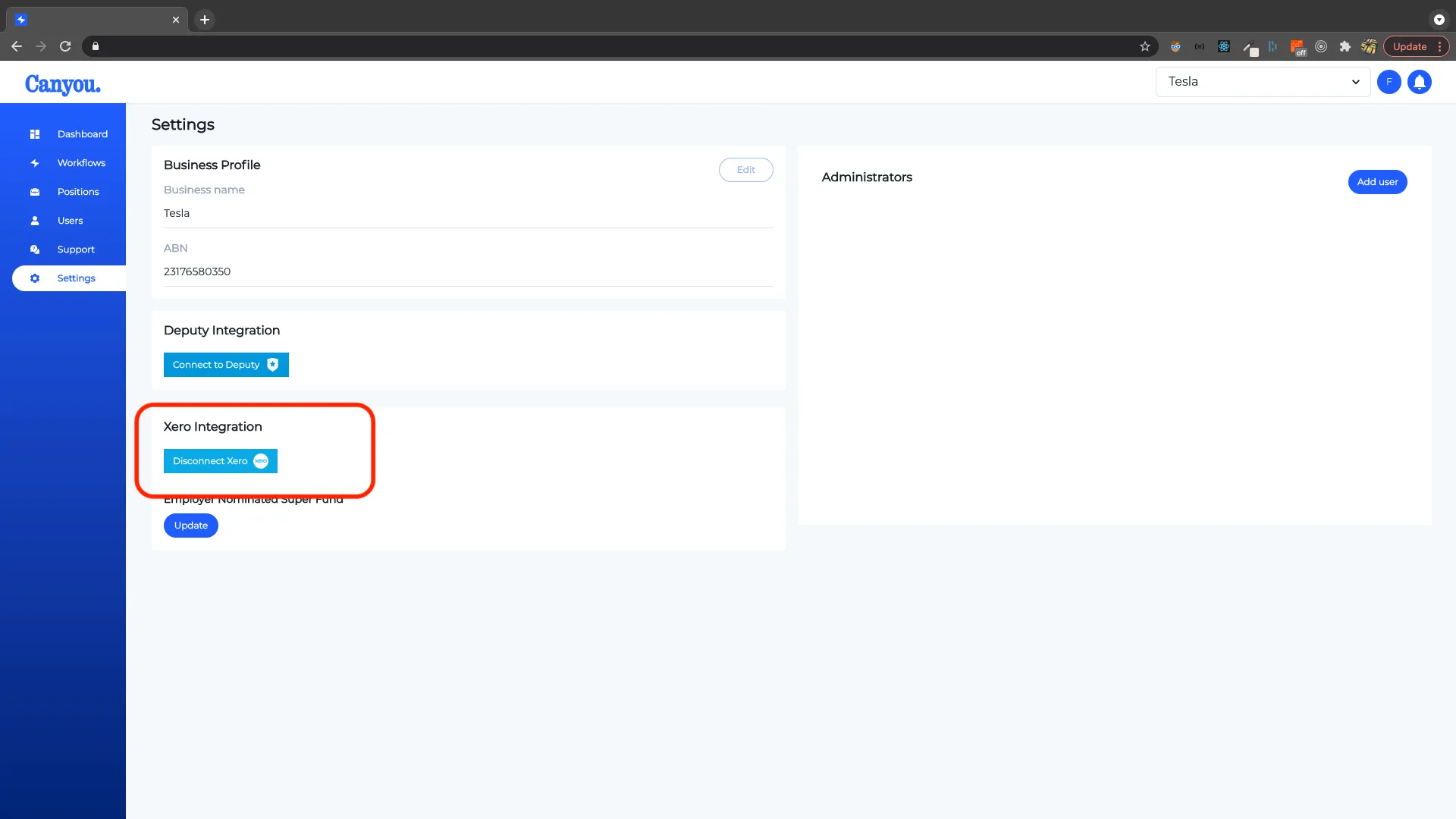
  1. Navigate to the settings menu, then click the Disconnect Xero button.
screenshot
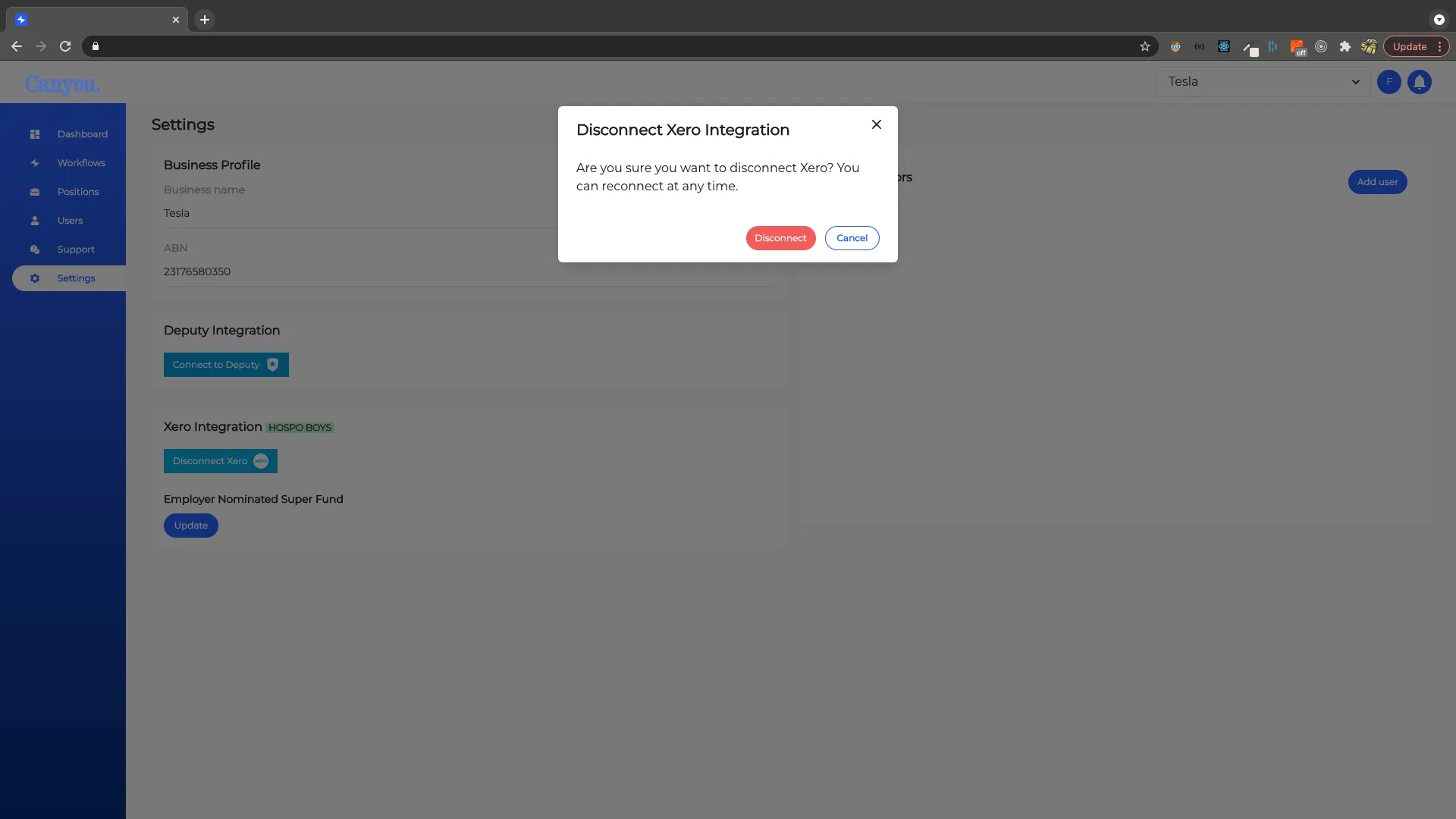
  1. Confirm you wish to disconnect.
screenshot
  1. You can now reconnect from the settings menu at any time.
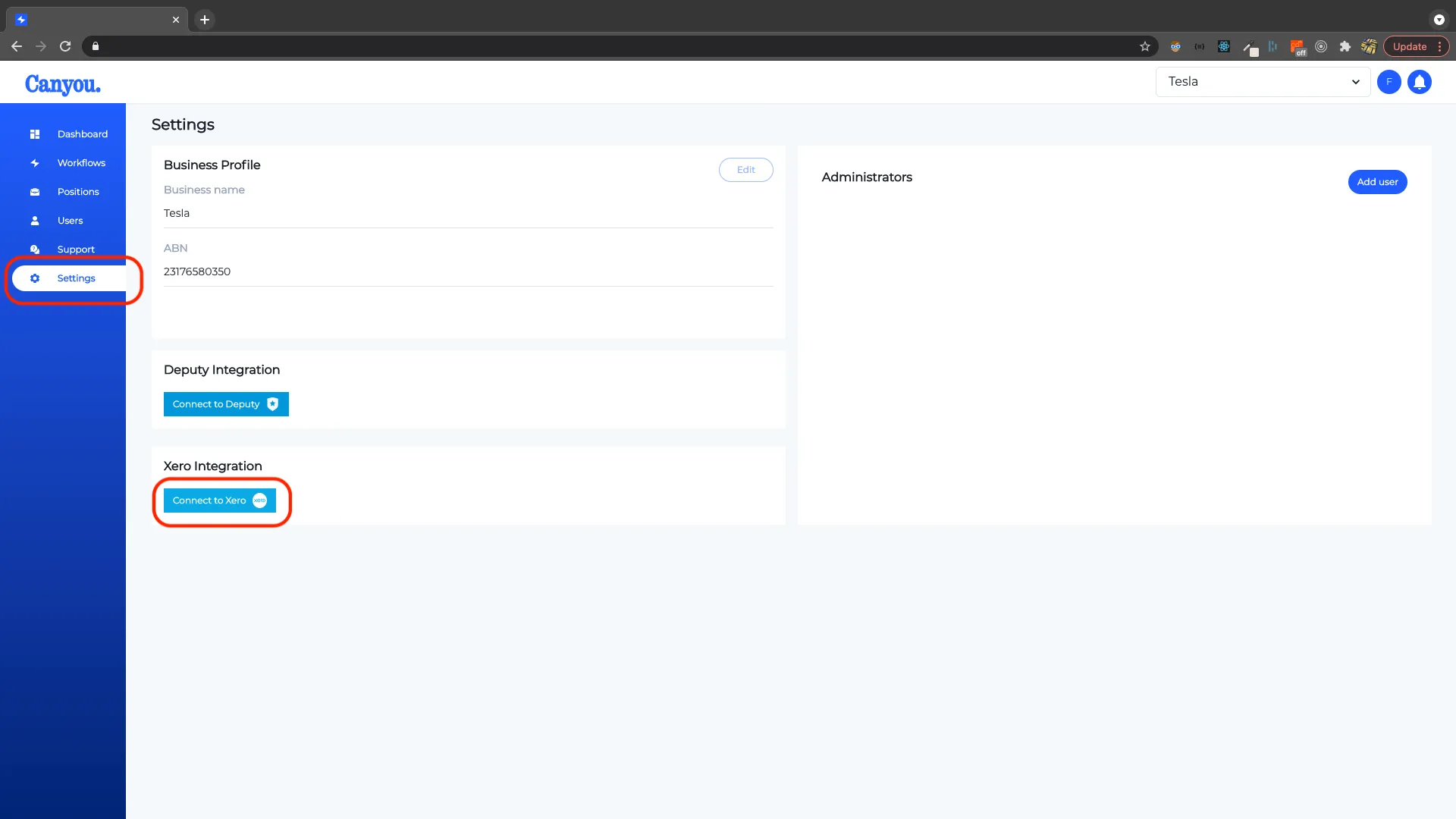
screenshot

Employee onboarding that keeps every worker cleared to work.

hello@canyou.com.au
© Canyou. Made in Australia. Photography via Unsplash: Albert Vinas, Glenov Brankovic, Shubham Verma, Tim Mossholder, Vitaly Gariev, Adrian Sulyok, Cabri Caldwell, Marcus Reubenstein.
LinkedInYouTubeFacebookInstagram

Designed and built in 7 days byand